
How to Track Overseas Packages with DHL, FedEx, USPS, UPS and More
Want to track an item imported from overseas? We also introduce recommended tracking services.
Here we explain how to follow the current location of packages shipped from overseas with tracking, and introduce recommended tracking services.
When you buy something overseas, you can’t wait for it to arrive and wonder “Where is it now?”
Importing from overseas takes longer than buying in Japan, so you may feel uneasy, wondering “Is it really being shipped?”, and want to check.
For people who want to track what they bought, we introduce how to check the current location of a package and some handy tracking services.
What is tracking?
“Tracking” means following a package.
It means working out where a package you bought and that is in transit is right now, from the number assigned to each package.
Even when you buy from an overseas shop, you can use tracking to find out where your item is.
Companies that provide international shipping services include DHL, FedEx, USPS and UPS (all in Japanese), and such companies assign a number to each package so that they can know where it is through tracking.
Each company’s website has a search form, and if you enter the package number there, you can see where the package is.
By tracking and checking where your package is now, you can wait for it to arrive without worrying “Is my package really being delivered?”
Importing from overseas takes time
In general, when something is shipped from overseas, it takes longer to arrive at your home than when it is shipped within Japan.
You have to wait a long time after buying, so there is no need to worry too much if it doesn’t arrive for a while. Wait patiently.
By air, it usually arrives in 2 to 3 days from a nearby country and generally in about 1 to 2 weeks. By sea, delivery takes longer, and it can take 1 to 2 months.
The time between shipment and arrival at the international mail exchange office is often especially long.
If customs clearance goes smoothly, the package often arrives a few business days after reaching Japan.
When you send to Japan with Planet Express, the guideline for days after shipping from the warehouse is as follows.
- FedEx International Priority: 1 to 6 business days
- FedEx International Economy: 4 to 8 business days
- Yamato Transport: 5 to 7 business days
- DHL Express: 4 to 8 business days
- USPS (delivered by Japan Post): 10 to 14 business days
- Planet Mail Express: 17 to 25 business days
For details, see the shipping methods page.
Because importing from overseas takes time like this, a tracking service that lets you check that your package is being shipped properly is useful.
Related article:
Customs duty on personal imports explained simply (with examples and amounts)
Steps to track with DHL, FedEx, USPS, UPS and more
Here are the steps for tracking.
(1) Choose a shipping method that supports tracking when you buy
To track the current location of a package bought from an overseas shop, choose a shipping method that supports tracking when you buy the item.
Be careful: if you choose a shipping method without the service, such as regular mail, you can’t track the package.
Always choose a shipping method with tracking.
(2) You are given the tracking number
Once you have bought the item, a shipping notice arrives by email. It includes a “tracking number.”
You use this tracking number to find the current location of your package.
(3) Enter the tracking number
Enter the tracking number you were given into the search form.
A status message then appears telling you the current state of the package.
After it arrives in Japan, you can also check it on the website of the company that delivers within Japan. For example, packages sent by USPS are delivered by Japan Post, and Planet Express’s Yamato Transport shipments are delivered by Yamato Transport within Japan.
If you enter the tracking number in the same way, the current state of the package is shown. With Planet Express, you can check the tracking number on your account page.
Tracking sites lag behind
The actual shipping status and the information online can be out of sync.
It takes some time for information about a package’s current location to appear on a tracking site, so there can be a time lag.
Sometimes the status message shows “Delivered” a day after the package reached your home.
So even if you enter the tracking number and search, depending on the timing you may see “Not found.” This only means it hasn’t been reflected yet, so there is no need to worry.
Try again after a day or so.
What the English status messages mean
For packages in transit, status messages such as “The package has been shipped,” “Passed through customs” and “Handed over to the Japanese post office” are shown.
Tracking services are very convenient, but they show a lot of English text, so you may find them “hard to read” or not understand what a displayed message says.
So here is what the tracking status messages mean.
If you don’t understand a status message, use this as a reference.
- Posting/Collection: The package has been accepted
- Dispatch from outward office of exchange: Sent from the international mail exchange office
- In Customs / Held by import (export) Customs: Customs clearance is in progress
- Item held by export Customs: The package is being held at customs in the exporting country
- Departure from inward office of exchange: The package has left the international mail exchange office
- Processing at delivery Post Office: The package has arrived at a post office near the destination
- Retention: Being held at the post office
- Absence. Attempted delivery.: You were not home, so the package was taken back
- Delivered: Delivered
2 recommended tracking services
The features and supported carriers of each service can change, so check before you use them.
boxoh
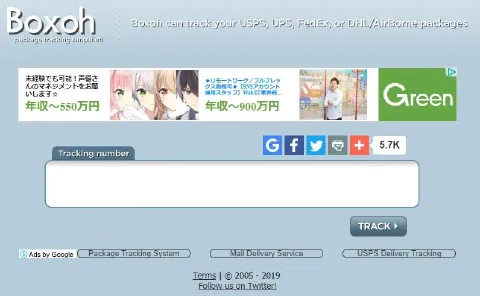
boxoh is a service that shows the current location of your package on a map.
If you enter a tracking number for UPS, FedEx, USPS, DHL and others, it shows where the package is now on Google Maps.
Unlike status messages, with a map you can see at a glance where your package is.
As explained earlier, you can also check the current location of a package with the tracking service on each carrier’s website.
But locations are described with overseas place names, so if you are not familiar with them, it is hard to tell roughly where your package is.
boxoh shows it on Google Maps, so you can see at a glance where your package is now, which makes it easy to read.
The search method is the same: just enter the tracking number and press the search button.
17Track
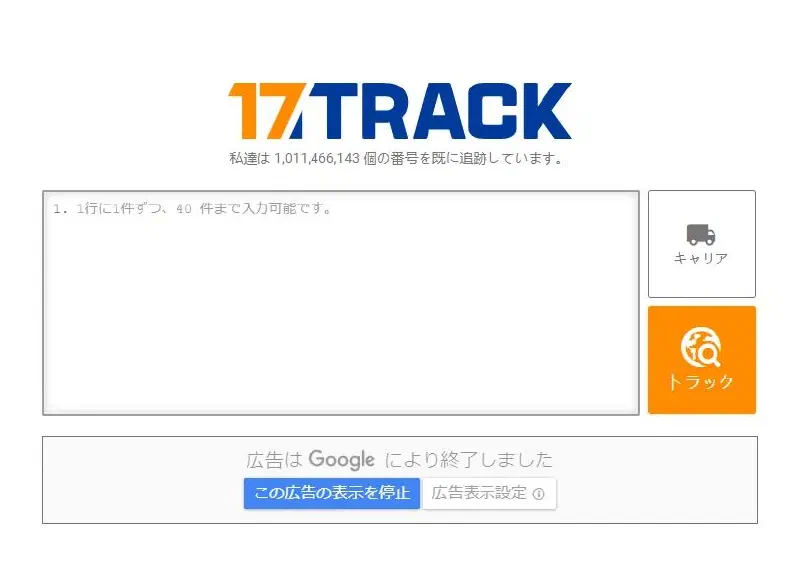
17Track (Japanese page) is a web service that supports tracking packages from major international carriers such as DHL and FedEx and from postal operators in various countries.
With the 17Track app, you can register multiple tracking numbers regardless of carrier and manage your packages all in one place.
It is a recommended app for people who import frequently or import many items.
In 17Track, you can enter numbers in the app to register package information.
The app’s package list shows the current status, such as shipped, in transit and delivered.
The latest checkpoint is also shown, and you can look back at past shipping routes on the detail page of each package.
If you register as a user, it becomes even more useful: you can sync registered information across multiple devices and receive notifications on your smartphone when package information is updated.
Summary of how to track with DHL, FedEx, USPS, UPS and more
Here we introduced how to follow the current location of packages shipped from overseas and some recommended tracking services.
Each carrier has a tracking service, so you can follow the current location of your package.
There are also handy tracking services that show the current location of a package on a map, and services that let you conveniently manage several packages in transit all at once.
If you check the status of your packages with a tracking service, you can wait for them to arrive without worrying.